
Aruvo Interactive Displays Aruvo Interactive Displays
Frequently Asked Questions
Step 1: Check if the device sound is muted.
Step 2: The volume setting is at minimum level, adjust the volume.
Step 3: Audio cable connection is poor/damage. Reconnect it.
Step 1: Ensure the power supply match with the device.
Step 2: The signal cable connection is poor. Change a good signal cable.
Antenna connection or receiving ability is week.
Step 1: Remote Control distance wrong direction.
Step 2: Battery wrong polarity. Reset the polarity.
Step 3: Run out of battery. Change a new battery.
Don’t worry. In those circumstances only the display is turned off. It is actually running in stand-by mode.
In order to save the energy, the panel will automatically turn off its display once left idle.
You can wake up the display by pressing on the power button or tapping on the screen.
Sure it does. We Have Optional 4K camera & microphone for our panel.
Usually we recommend you connect your external speakerphones and/or cameras with USB cable(s) with the PC module inserted to the interactive flat panel.For most of the trusted brands in the market, their cameras or speakerphones work perfectly well on the monitors.
But in some rare cases, due to the lousy cable quality or the external devices being in poor condition, they may not work as they were supposed to.
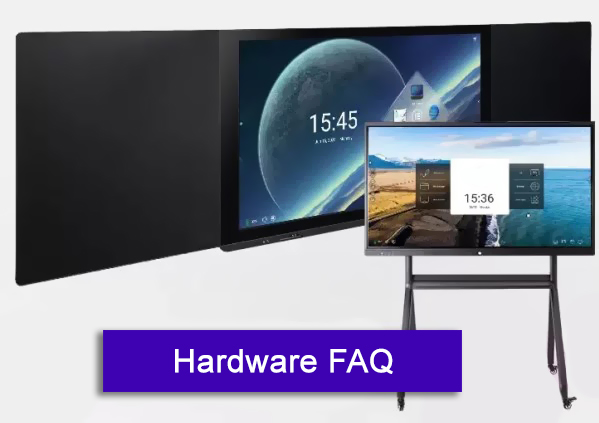
Sure, it is easy to wall mount or put on the mobile trolley cart.
We connect the two side Blackboards before we deliver out our Blackboard, you can install easily after you take out from the carton.
Hanging bracket for our panel has been tested in various settings. The bracket and the wall mount are both robust and reliable.
But please make sure the wall is strong enough to hold the device and the installation should be in accordance with our official setup guidance.
Frequently Asked Questions
Sure you can change the theme style.
Click on the corresponding theme image to switch different theme inside.
Yes, wallpaper has dynamic and static wallpaper or can be added by custom.
Custom added wallpaper will be stored in static wallpaper and can be deleted by long press.
Yes, we have Eshare software built inside.
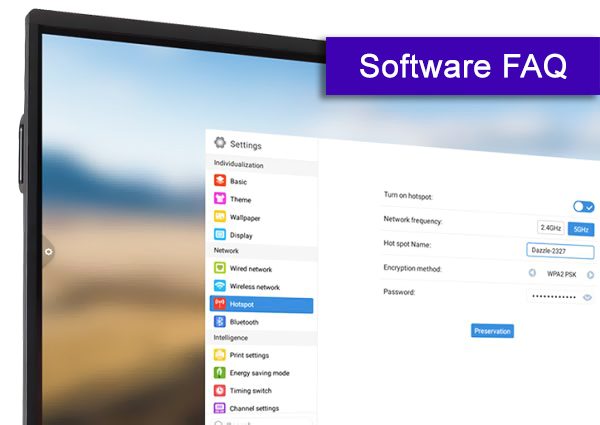
We have 2.5G & 5G WIFI module built inside the monitor.
Don’t worry, we have CE-Red & FCC certification for the wifi module.
Yes, you can.
Our panel default booth channel is Android homepage.
You can change it in our Setting page.
Yes, of course.
USB lock, screen lock, application lock and touch lock can be turned on or off.
You can also set the corresponding unlock password, the initial password is 2580.
Either (1) Restore factory settings: click Reset to restore the factory settings
Or (2) Local upgrade: Copy the firmware to the root directory of the U disk, insert the U disk into the multimedia USB interface of the all-in-one, and select local upgrade and update.
Writing APK: Whiteboard & Annotation
Document APK: Filemanager
Screen Share APK: Eshare
More APPs like Setting center; SystemWizard; Office.
